Opening route

Subnautica 2 Prologue Walkthrough

This is the opening Solo Survival route we used from the first PDA prompt to NOA Launch. The parts worth slowing down for are small but important: why O2 starts at 0, why walking feels slow before Pressure Tolerance, where the Aid Kit and Water are, why supplies disappear after death, and what to do when the escape pod is stuck.

Short version. Use NOA, restore O2 in the black-box room, confirm Pressure Tolerance is green, grab the Aid Kit and Water, reach the black-box route, assign the biological bed, activate both red devices until they turn blue, return to NOA, then press Launch.

Written from our own Solo Survival run on PC keyboard and mouse. Last updated 2026-06-06; the game window showed Build 115506.

NOA Launch prompt at the end of the Subnautica 2 prologue.

Walking is slow

Slow walking is normal before the black-box room interaction restores O2 and unlocks Pressure Tolerance.

O2 is stuck at 0

Use the right-side interaction point in the black-box room. O2 should become 45.

Pressure Tolerance is green

Green means the adaptation is unlocked and active for this part of the prologue.

Items disappeared after death

Your carried items go to the death-location black box, not back to the original shelf or box.

NOA Launch is missing

Release the stuck escape pod by turning both red-lit devices blue, then return to NOA.

Which keys matter first

Tab opens PDA, WASD or arrow keys move, hold Space rises in water, and 1-5 select hotbar slots.

Where is Water?

Look in the upper-left box of the supply room before the first dive, then confirm it in PDA Inventory.

What does Assigned mean?

Assigned means the biological bed is now your respawn point for this opening route.

Prologue route checklist

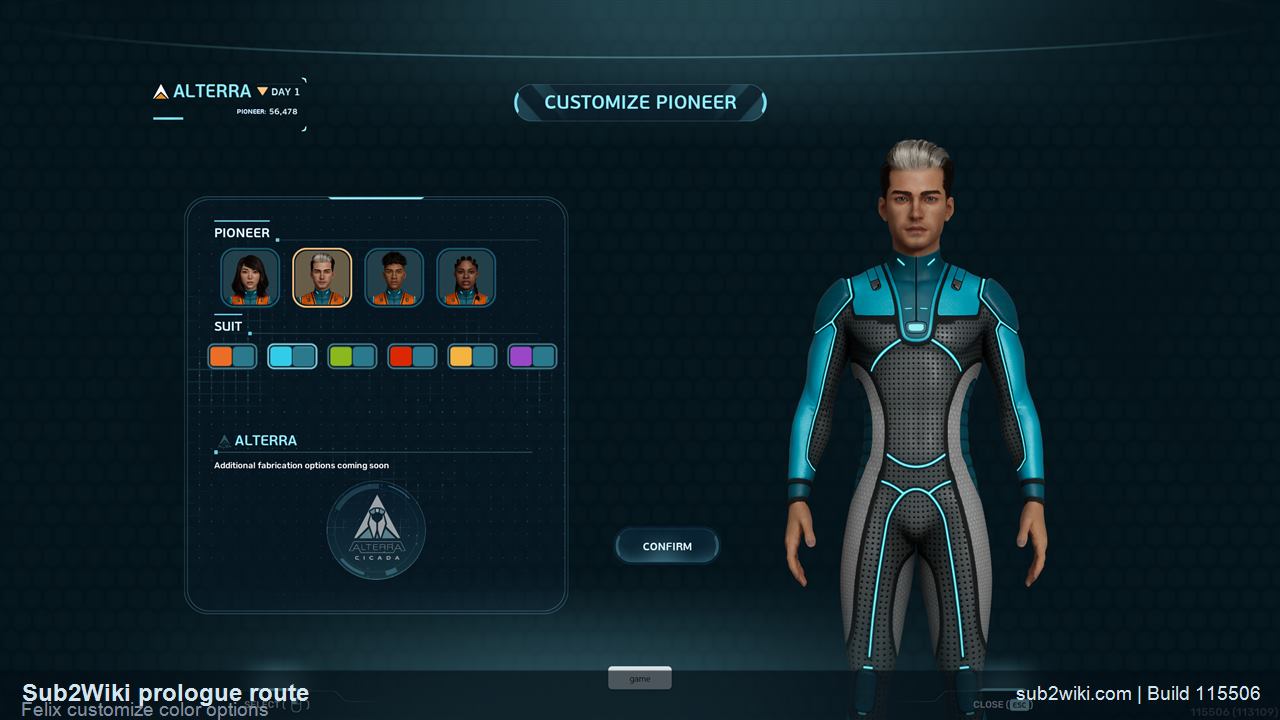
  1. 1.Start a Solo Survival save. Felix is fine; Customize only changed visible outfit colors in this opening run.
  2. 2.Press Tab when the PDA prompt appears. Check the HUD before you swim away: health, food, water, O2, and five hotbar slots all matter immediately.
  3. 3.Aim at NOA and left-click. NOA opens the first door and starts the mission-receiver chain.
  4. 4.In the black-box room, go right and use the interaction point. This restores O2 from 0 to 45.
  5. 5.Open PDA -> Adaptations and confirm Pressure Tolerance is green. Green means unlocked and active here.
  6. 6.Pick up the Aid Kit and Water before the first dive. They are not required to finish the prologue, but carrying them builds the right Survival habit.
  7. 7.Swim toward the black-box target, assign the biological bed as your respawn point, then return to NOA.
  8. 8.When NOA says the escape pod is stuck, activate both red-lit release devices until they turn blue, go back to NOA, and press Launch.

If you are stuck, check these first

Most prologue problems come from one missed interaction: O2 stuck at 0, slow walking before Pressure Tolerance, Water location, Aid Kit location, biological bed Assigned, reprinted death, black box recovery, red devices turning blue, or NOA Launch missing. The route below covers each of those without skipping the small UI prompts.

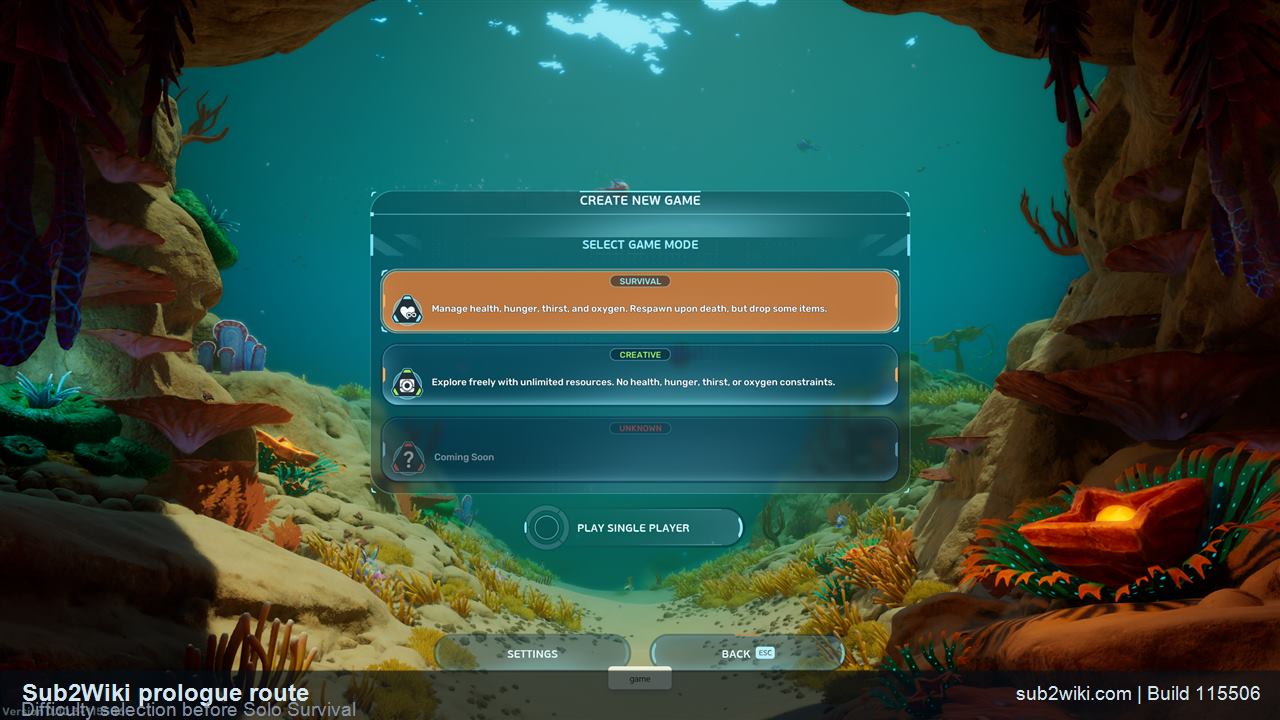
Subnautica 2 prologue difficulty selection screen before starting Solo Survival.
For a first real playthrough, Survival is the better opening choice because the tutorial teaches O2, food, water, and death recovery.
Step 1

Start in Solo Survival

For a first playthrough, choose Solo and Survival. Creative is useful later if you just want to build or grab clean screenshots, but Survival is the mode that actually teaches the opening: oxygen, supplies, inventory, death recovery, and when to stop wandering.

  • The opening character flow lets you confirm Felix or enter Customize.
  • In our Felix run, Customize looked cosmetic: it changed colors, not stats or objectives.
  • Once control starts, slow down. The game is already teaching the PDA and HUD.
Subnautica 2 Felix Customize screen showing outfit color options.
Felix Customize only changed outfit colors in this run; the prologue path stayed the same.
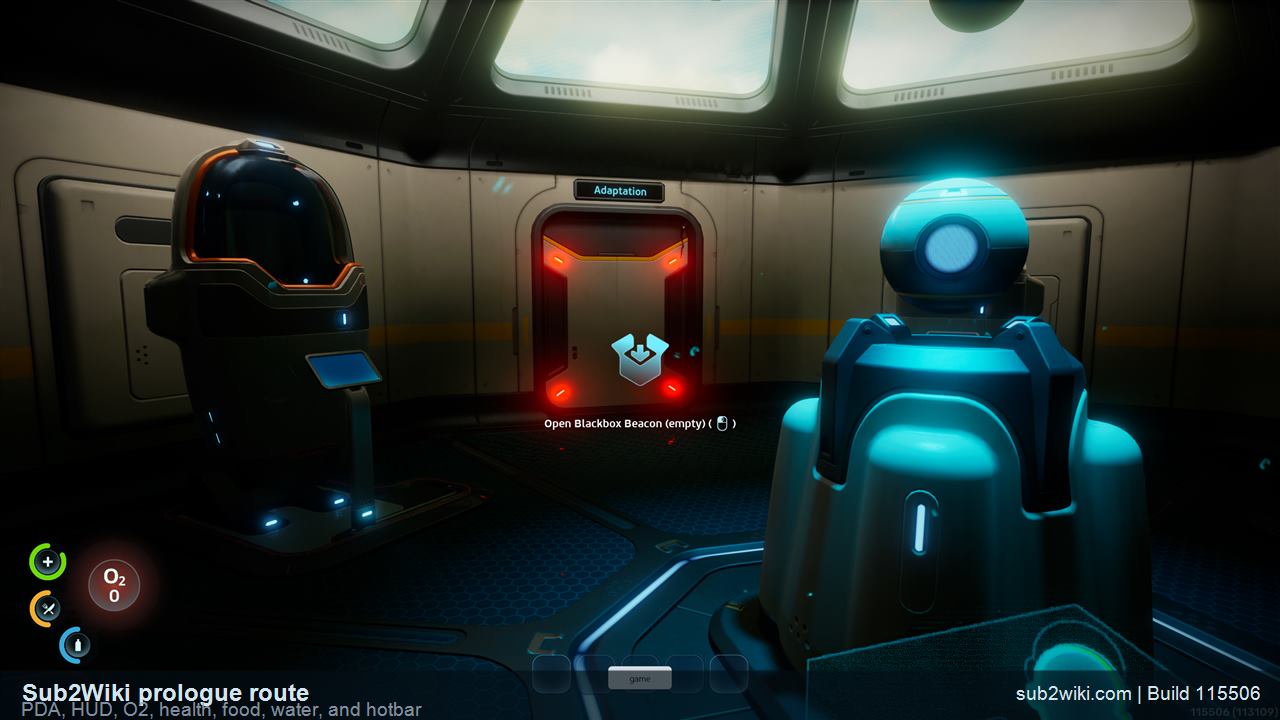
Subnautica 2 prologue HUD showing status circles and five quick slots.
Tab opens the PDA. The five bottom circles are quick slots for keys 1 through 5.
Step 2

Open the PDA and read the HUD

Press Tab when the game tells you to open the PDA. Do this before wandering. The PDA tabs you see early are Inventory, Blueprints, Signals, Logs, Databank, and Adaptations, and the HUD tells you what will kill you first.

  • Green circle: health.
  • Yellow circle: food.
  • Blue circle: water.
  • O2 is the underwater timer.
  • The five bottom circles map to keyboard keys 1, 2, 3, 4, and 5.
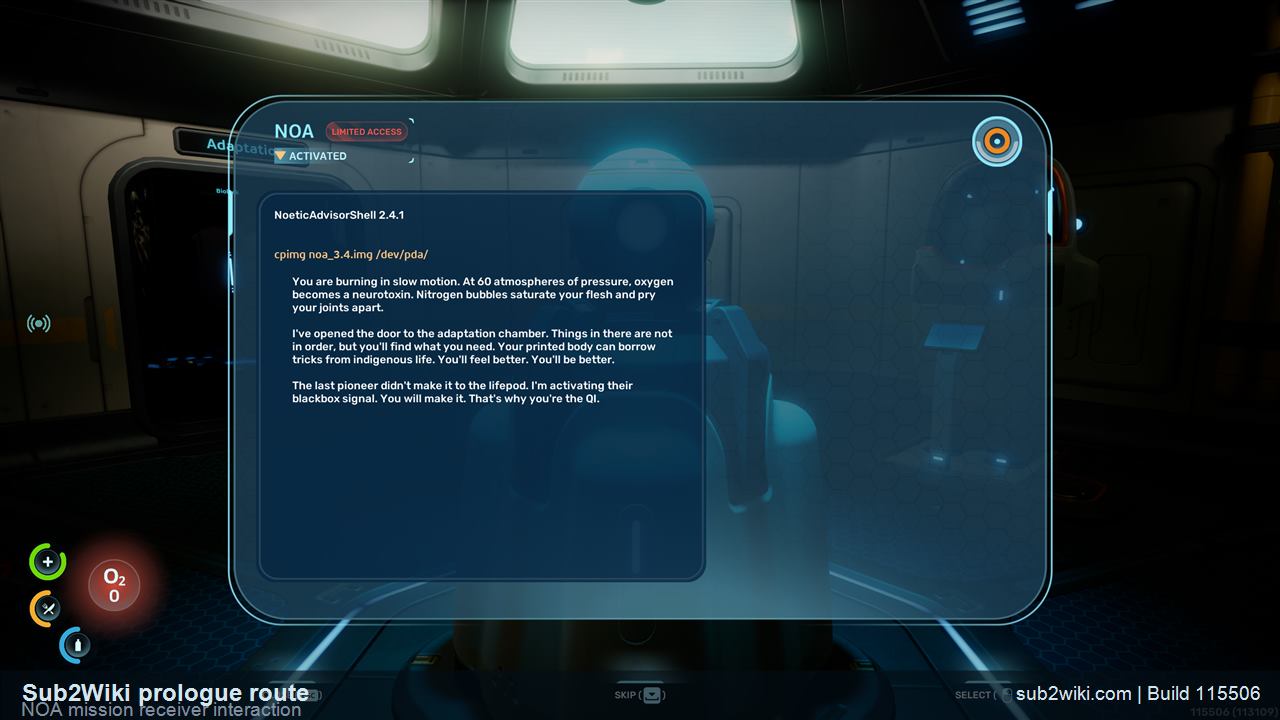
Subnautica 2 prologue NOA interaction point before activation.
NOA is the thing to keep coming back to during the opening.
Step 3

Activate NOA and open the first door

Aim at NOA and left-click when the prompt appears. After the first activation, the door ahead opens and the route moves into the black-box area. If the prologue feels stuck, the answer is usually another focused interaction, not a hidden side path.

  • NOA is also where the final Launch option appears later.
  • Use the opened door as your next direction.
  • The opening is very linear here: interact, door opens, move to the next prompt.
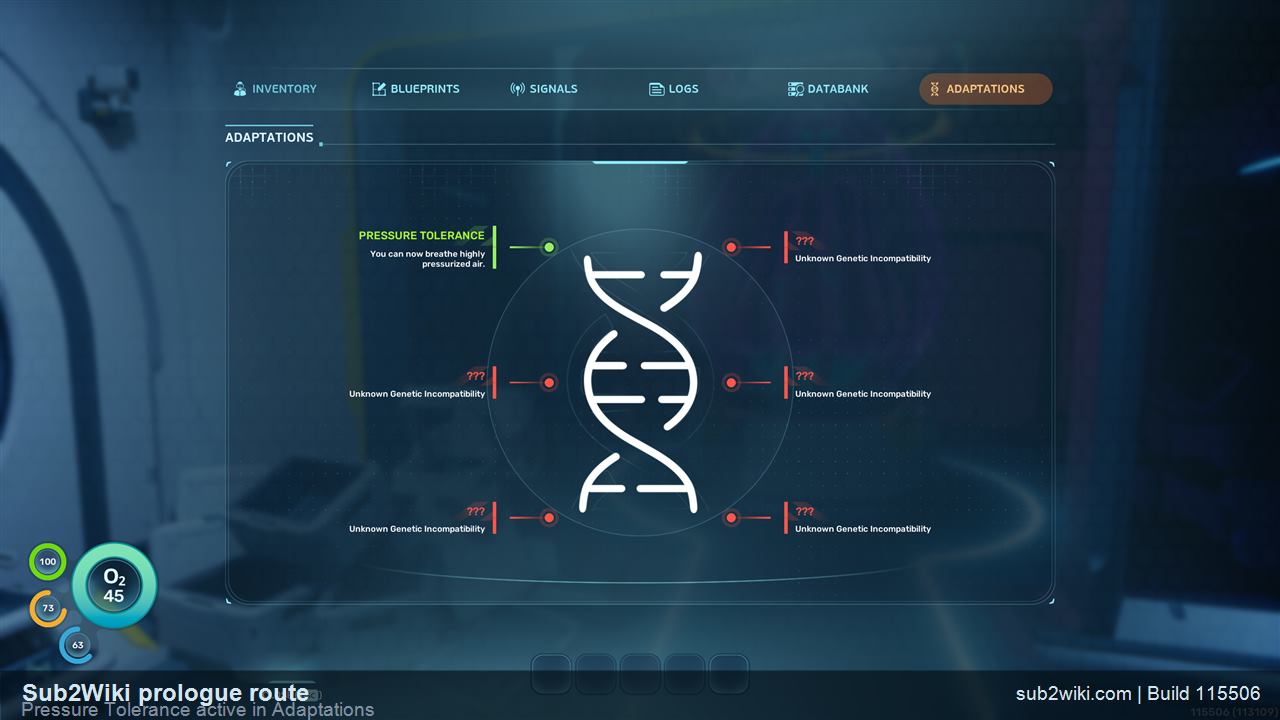
Subnautica 2 PDA Adaptations page with Pressure Tolerance shown in green.
Pressure Tolerance turns green after the O2 restoration interaction.
Step 4

Restore O2 and unlock Pressure Tolerance

Inside the black-box room, go right and use the left-click interaction point. Before this interaction, walking is noticeably slow and O2 is still at 0. After it, O2 changes from 0 to 45 and movement feels normal again. Open PDA -> Adaptations and Pressure Tolerance is green.

  • Pressure Tolerance is unlocked and active once it turns green.
  • Slow walking before this point is part of the opening sequence, not a keyboard or performance issue.
  • Do not leave while O2 is still 0.
  • This is the moment that makes the first underwater stretch survivable.
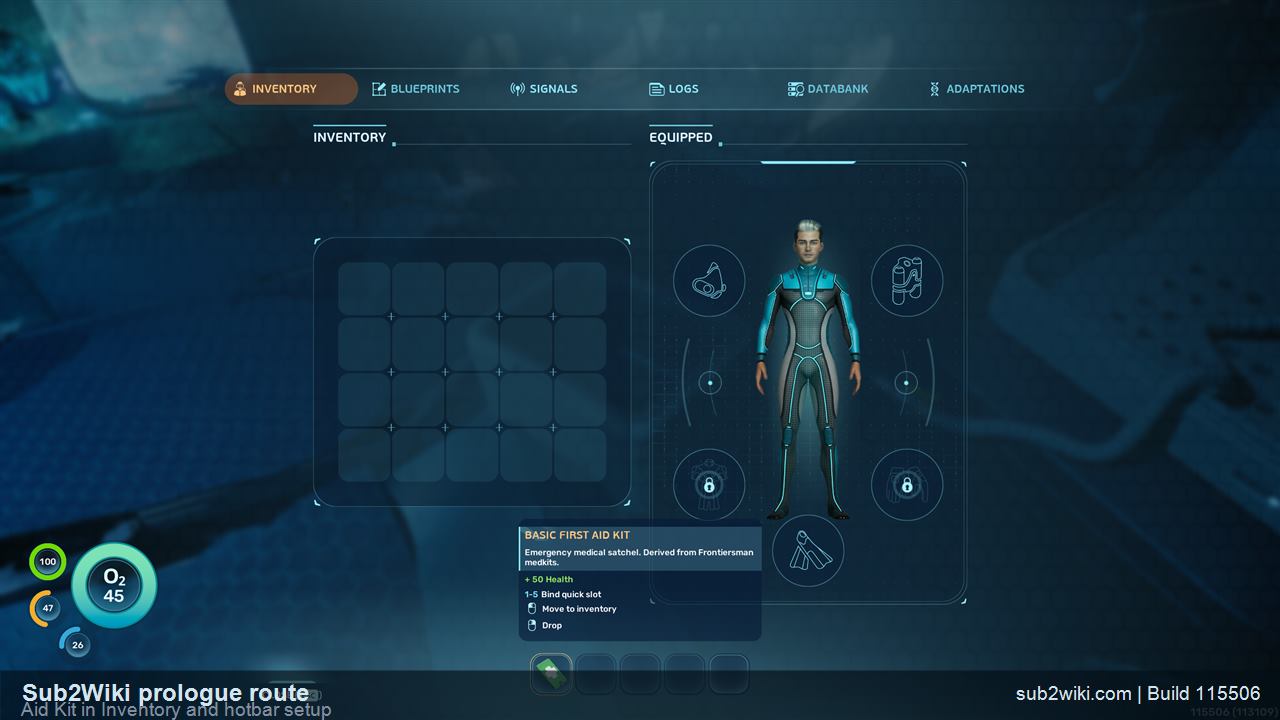
Subnautica 2 Aid Kit visible in PDA Inventory with hotbar slots below.
The Aid Kit can be dragged from Inventory to the 1-5 hotbar.
Step 5

Pick up the Aid Kit and put it on the hotbar

After the next door opens, look right for the Aid Kit. You can finish the prologue without it, but pick it up anyway and confirm it in Inventory. You can drag it into the bottom hotbar so a number key selects it later.

  • This is the first inventory item worth moving to quick slots, even if this exact tutorial task does not force you to use it.
  • The hotbar is easy to ignore at first, but this is a good moment to start using it.
  • You can move on without doing this, but learning the hotbar here saves confusion later.
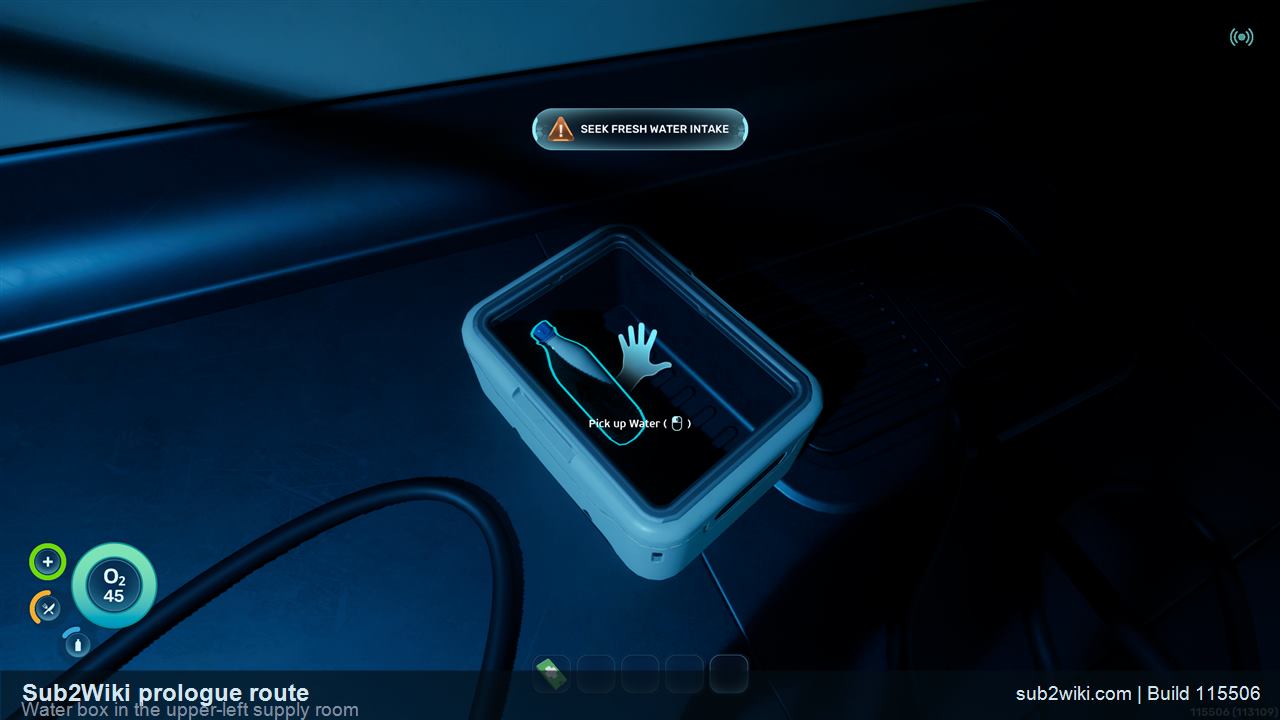
Subnautica 2 prologue Water box visible in the upper-left side of the supply room.
The Water pickup is in the upper-left box before the first dive.
Step 6

Pick up Water before the first dive

The Water pickup is in a box toward the upper-left side of the same supply room. The first dive and Launch can still be completed without it, but grab it before you leave. The point here is habit: in Survival, check supplies before going underwater.

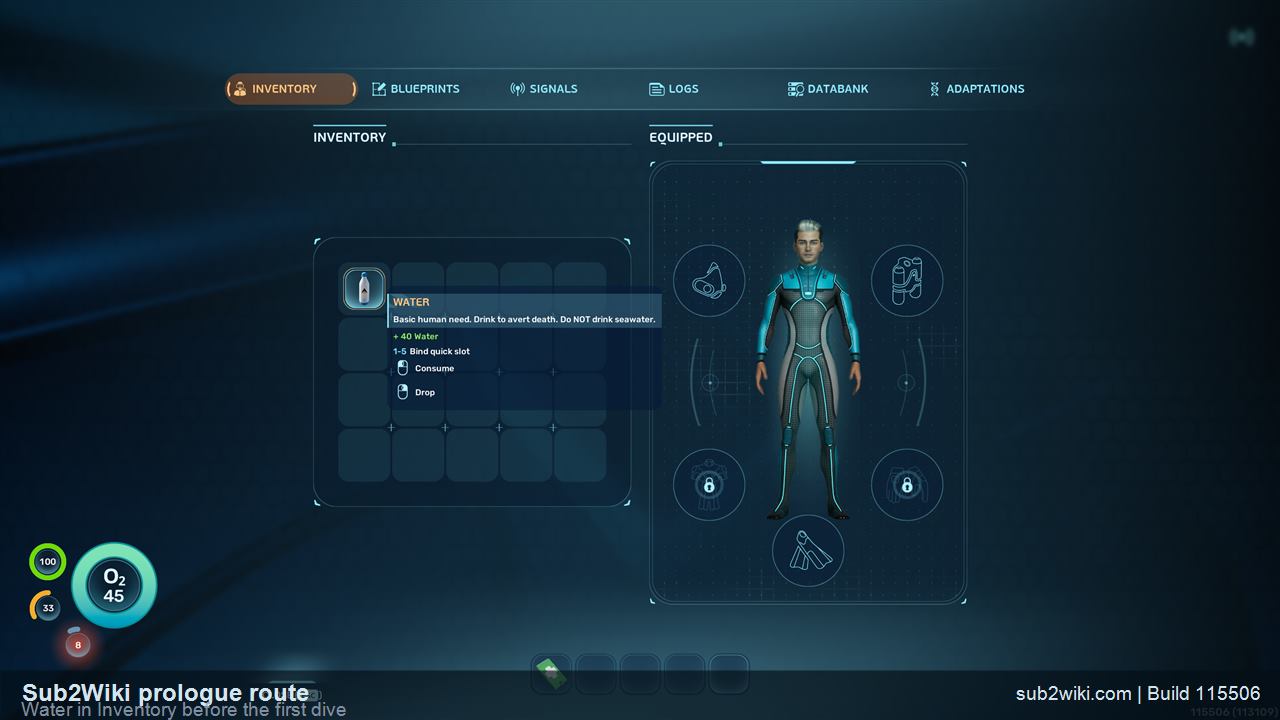
  • Press Tab after pickup if you want to confirm the item is in Inventory.
  • Treat Aid Kit and Water as recommended preparation, not a hard gate for finishing the prologue.
  • The original pickup spot will not refill just because you die later.
  • If supplies seem missing after death, check the death-location black box.
Subnautica 2 Water item visible in PDA Inventory during the prologue.
After pickup, Water appears in Inventory so you can confirm it before diving.
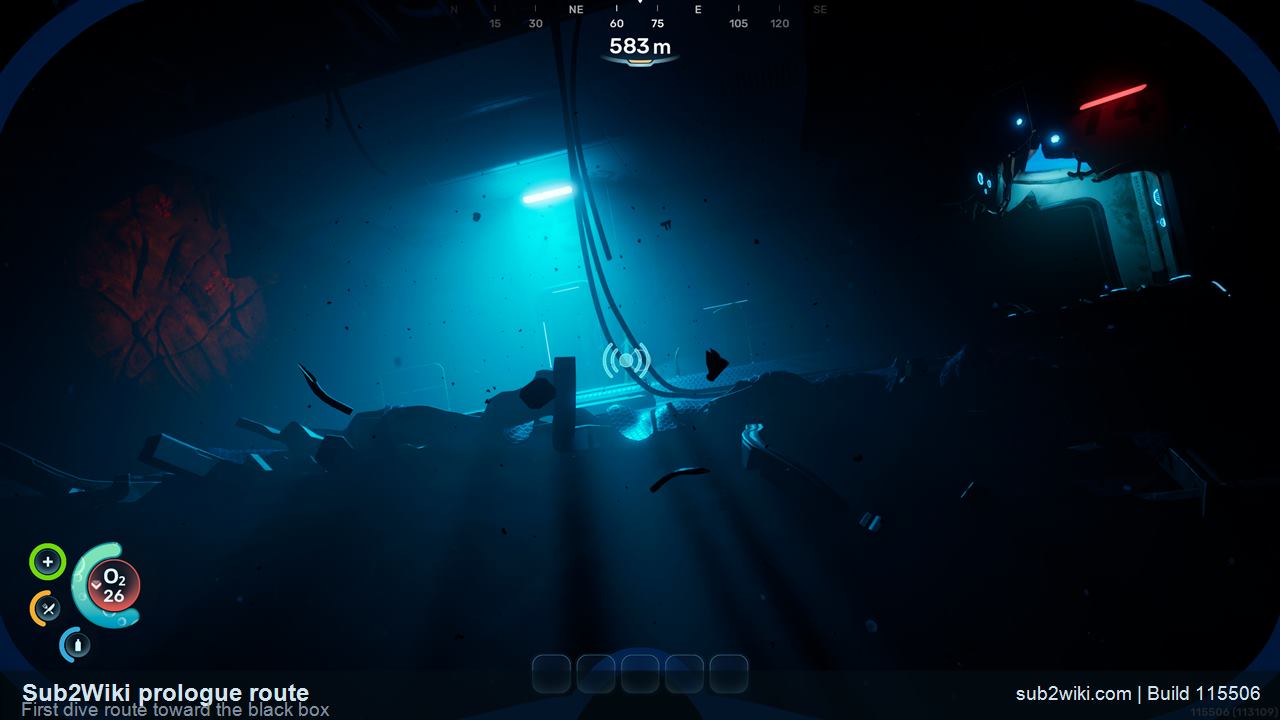
Subnautica 2 first dive route showing the black box target area.
For the first dive, keep it simple: swim to the target, watch O2, and do not sightsee yet.
Step 7

Make the first dive toward the black box

At the first underwater entrance, swim toward the black-box target. WASD and the arrow keys move you. Hold Space to rise in the water. O2 drains underwater, and if it reaches 0, you die and the game uses the word reprinted for the respawn moment.

  • Do not over-explore during this first dive.
  • If you are pointed the wrong way and O2 is low, hold Space first, then fix your direction.
  • From the water entry, looking back helps you understand where a death-location black box will be.
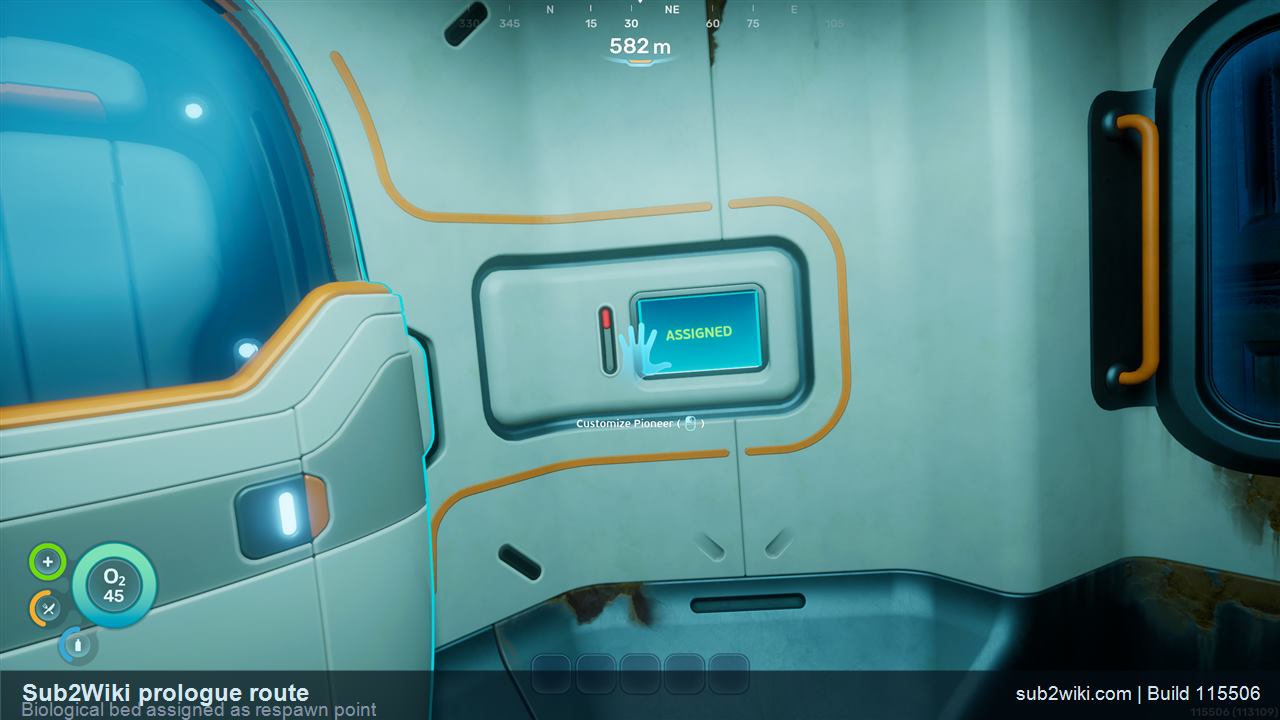
Subnautica 2 biological bed showing Assigned after setting it as respawn point.
Assigned is the word you want to see before leaving this room.
Step 8

Assign the biological bed as your respawn point

In the next room, use the biological bed until it says Assigned. That means this bed is your respawn point. It matters because dying during the prologue can move your carried inventory into a black box at the death location.

  • Biological bed: respawn point.
  • Assigned: this bed is where you come back after death.
  • The nearby workbench and storage lockers are visible here, but you do not need them for the prologue.
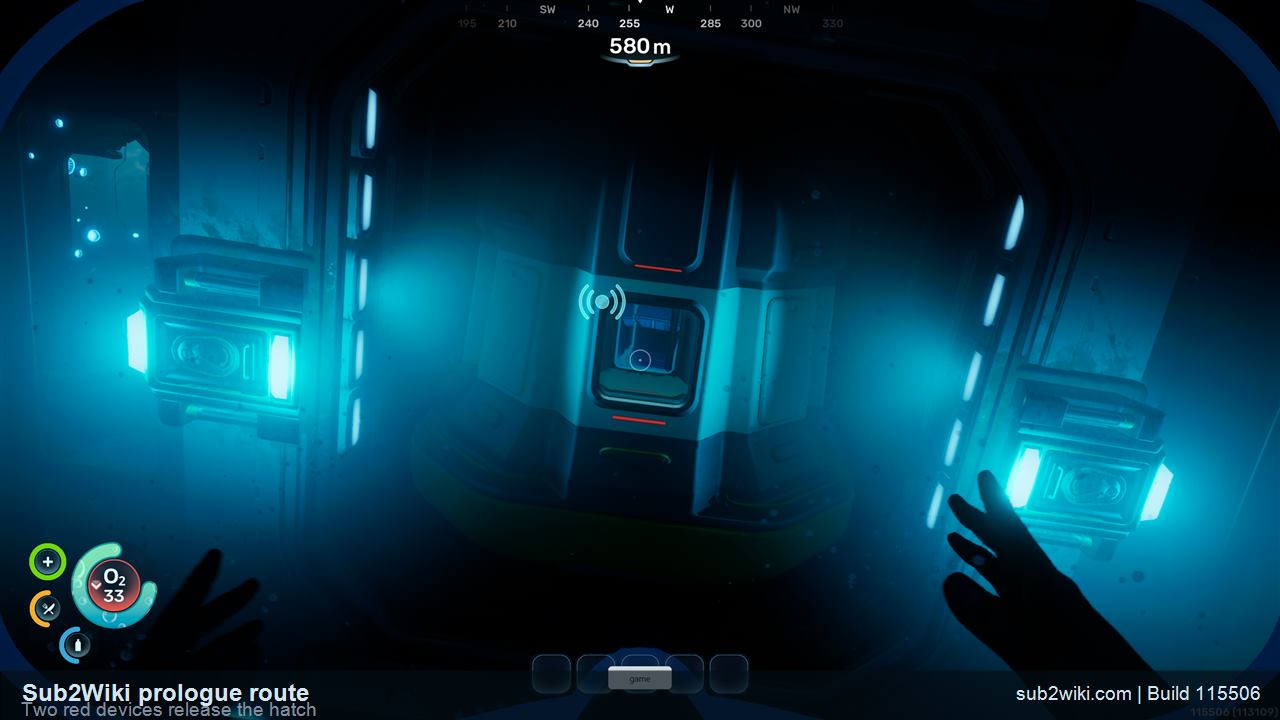
Subnautica 2 prologue release devices turned blue after activation with the hatch open.
After you use both devices, they are blue instead of red and the hatch is open.
Step 9

Release the stuck escape pod with both red devices

Return to NOA. It tells you the escape pod is stuck and needs a manual release. Leave the room, turn left, follow the first bright marker, turn left again, and move toward the two red-lit devices. Interact with both. After a device is operated, it changes from red to blue. When both devices are blue, the hatch opens.

  • Treat the bright light as a waypoint.
  • One completed device is not enough; both need to turn blue.
  • If Launch is not available back at NOA, come back here and check the second device.
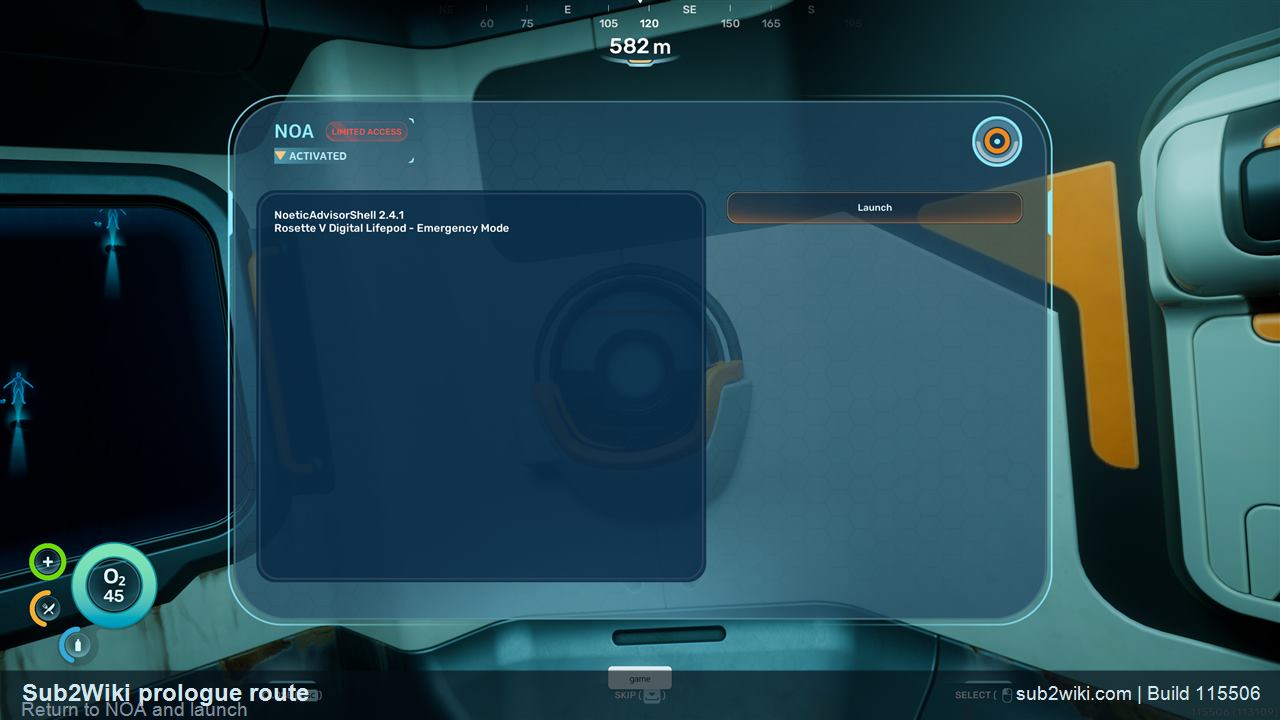
Subnautica 2 NOA Launch prompt at the end of the prologue route.
Launch completes the opening prologue task and moves the save into the next scene.
Step 10

Return to NOA and press Launch

After the hatch is open, go back to NOA and choose Launch. That completes the prologue. From here, the game moves out of the tightly scripted opening and into the first real survival session.

  • If Launch is missing, recheck the two red release devices.
  • Once Launch completes, stop thinking like you are still in the tutorial.
  • After this, the useful questions change: where to scan, where to store supplies, and how to handle O2.

Prologue terms you see on screen

NOA

The mission receiver for the prologue. NOA opens the first door, gives the stuck escape pod objective, and later shows Launch.

PDA

The Tab menu for Inventory, Blueprints, Signals, Logs, Databank, and Adaptations.

Pressure Tolerance

The Adaptations entry that turns green after the O2 restoration interaction. Green means unlocked and active.

Reprinted

The game word used around respawn after death. In the first dive, O2 reaching 0 can trigger this.

Black box

The death-location recovery container for carried items such as Aid Kit and Water after you respawn.

Biological bed

The respawn-point station. Use it until the screen says Assigned.

Assigned

The word you want to see on the biological bed. It means this bed is your respawn point now.

Red devices

The two stuck escape pod release devices. Each changes from red to blue after a successful interaction.

Launch

The final NOA prompt that completes the prologue after the hatch is open.

Controls that matter in the prologue

Tab

Open PDA.

WASD / arrows

Move.

Hold Space

Rise while underwater.

Left mouse

Interact with NOA, supplies, doors, and release devices when prompted.

1-5

Select the five quick slots on the hotbar.

PDA tabs in the opening route

Inventory

Items you picked up, including Aid Kit and Water.

Blueprints

Crafting unlocks and recipe leads.

Signals

Route and objective signals.

Logs

Audio/story logs and mission context.

Databank

Reference entries and discovered information.

Adaptations

Biological upgrades such as Pressure Tolerance.

Common places people get stuck

Leaving before O2 is restored

If O2 is still 0 and walking feels slow, you have not finished the right-side interaction in the black-box room yet.

Walking past the Aid Kit or Water

You can still finish the prologue without them, but skipping supplies is a bad habit. Check both sides before the first dive.

Forgetting that Space rises in water

Holding Space is the quickest correction when you are pointed badly and the O2 timer is getting uncomfortable.

Leaving the bed before it says Assigned

Use the biological bed until the word Assigned appears. That is your respawn confirmation.

Only using one red release device

The stuck escape pod needs both devices changed from red to blue. If NOA does not offer Launch, go back and check the second one.

Death, reprinted, and the black box

O2 drains while you are underwater. If it reaches 0, you die, and the game uses reprinted for the respawn moment. Once the biological bed shows Assigned, it is your respawn point for this route.

The important inventory rule from this Solo Survival run: carried supplies moved into a black box at the death location. That explains why the Aid Kit and Water were no longer at the original pickup spots after respawn. Return to the death-location black box to recover what you were carrying.

About the screenshots

The screenshots are cropped from our own Solo Survival route and converted to web JPGs with the Sub2Wiki route label and build label. I kept them focused on the moments that are easy to miss: PDA, NOA, O2, Inventory, biological bed, release devices, and Launch.

Quick answers

How do I finish the Subnautica 2 prologue?

Open the PDA, interact with NOA, restore O2 in the black-box room, confirm Pressure Tolerance is green, pick up the Aid Kit and Water, make the first dive, assign the biological bed, activate both red-lit release devices until they turn blue, return to NOA, and press Launch.

What is NOA in Subnautica 2?

NOA is the mission receiver for this opening section. It opens the first door, gives the stuck escape pod objective, and later shows the Launch prompt.

What does Pressure Tolerance turning green mean?

On the Adaptations screen, green Pressure Tolerance means it is unlocked and active. If it is not green yet, finish the O2 interaction in the black-box room.

Why am I walking slowly before Pressure Tolerance?

Slow walking before Pressure Tolerance is normal in the prologue. Finish the right-side interaction in the black-box room first. O2 changes from 0 to 45, movement feels normal again, and Pressure Tolerance turns green in Adaptations.

What does reprinted mean in Subnautica 2?

Reprinted is the game word shown around respawn after death. In the prologue, if O2 reaches 0 underwater, you die and are reprinted at the assigned respawn point.

Where is the Water pickup in the Subnautica 2 prologue?

The Water pickup is in the upper-left box of the supply room before the first dive. After taking it, open PDA -> Inventory if you want to confirm Water is in your inventory.

Do I need the Aid Kit and Water to finish the prologue?

No. In our run, the prologue could still be finished without taking the Aid Kit or Water before the first dive. We still recommend picking both up because Survival mode is about building the habit of checking supplies before leaving a safe room.

Where do my Aid Kit and Water go when I die?

In this Solo Survival run, carried items moved to the black box at the death location. That is why the Aid Kit and Water were not back at their original pickup spots after respawn.

What does Assigned mean on the biological bed?

Assigned means the biological bed is now your respawn point. Use the bed until that word appears before leaving the room.

How do I get NOA to show Launch?

After NOA says the escape pod is stuck, leave the room and interact with both red-lit release devices. Each completed device changes from red to blue. When both are blue and the hatch opens, return to NOA and Launch should be available.

What do the red devices turning blue mean?

Blue means that release device is done. If only one device is blue, the escape pod release is not finished yet. Both need to be blue before the hatch opens and NOA can show Launch.

Should new players choose Survival or Creative for the prologue?

Choose Survival for a first real playthrough. Creative is useful later for building or screenshots, but Survival teaches the rules that matter early: O2, food, water, inventory, death recovery, and respawn points.

How long does the Subnautica 2 prologue take?

A smooth first pass is roughly 10 minutes if you follow the route: PDA, NOA, O2 restore, supplies, first dive, biological bed, release devices, and Launch.

Is Customize important when choosing Felix?

In our opening run, Customize looked cosmetic. It changed outfit colors and did not change the survival rules, PDA flow, or NOA objectives.
After the prologue

Once Launch completes, move from the opening mission into first-hour survival planning.