Primary use
Temporary storage, material staging, and first-base preparation.

Inventory icon
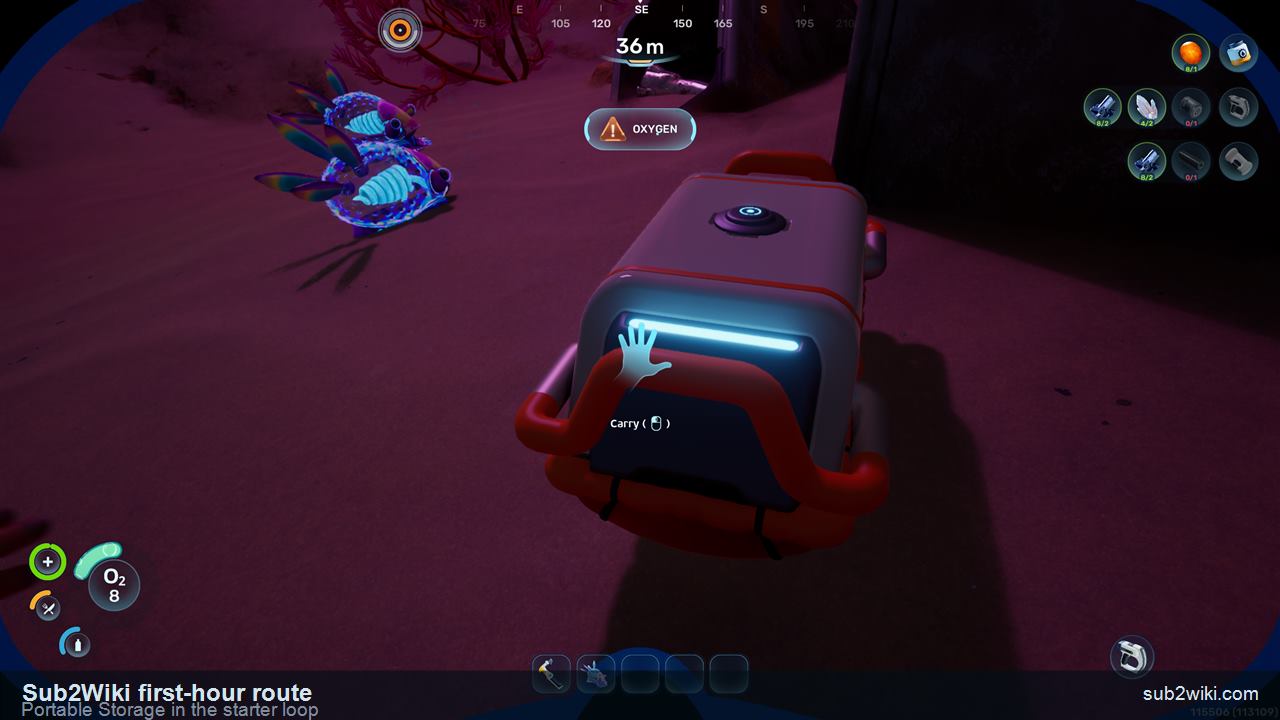
Portable Storage is one of those small items that makes the early game feel less chaotic. It deserves a page because it changes the first-hour loop: fewer wasted dives, cleaner material staging, and better co-op role splitting.
Reviewed .
Temporary storage, material staging, and first-base preparation.
Craft after the first Titanium, Quartz, Fibrous Pulp, Copper, and battery-part loop starts crowding inventory.
Make it when useful materials begin forcing bad inventory choices.
It is not your final base storage plan, but it buys time before Habitat Builder storage exists.
Keep Titanium, Quartz, battery inputs, food, and medical supplies separate enough to avoid accidental crafting waste.
Shared access, ownership, and pickup behavior should be checked before writing multiplayer rules.
| Question | Status | Rule |
|---|---|---|
| When to craft | First hour | Craft it once the first material loop starts to fill the backpack. |
| Main value | Inventory relief | It reduces repeated sorting and lets the player keep route-critical materials nearby. |
| Base comparison | Temporary | It fills the gap before a powered base and dedicated lockers are ready. |
The First Hour guide uses Portable Storage in the starter loop.
The deployable icon gives the item a clean visual identity.
Do not publish counts until Fabricator text is checked.
Co-op access and ownership rules should be checked directly.
Make it during the first material loop, before Titanium, Quartz, battery parts, food, and medical supplies clog the backpack.
No. Treat it as temporary starter infrastructure until Habitat Builder storage is ready.